
When a facility, structure or characteristic of a property is added, the property map should be updated.
Property features can only be added from within an individual property, learn how to navigate to a property here.
1. Select the Property Features Workflow
2. Click ‘Add property feature’
Choosing the right type of feature
After clicking ‘Add property feature’ you will be presented with a list of available feature types. These are split into three different geometry types.
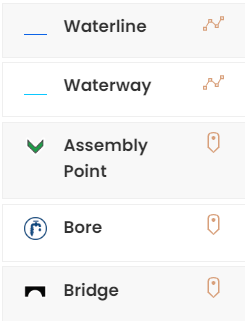
You should select the correct type and geometry for the feature.
Use point when there’s just a single location for the feature such as water supply or toilet

Use line for features such as fencing, shelter belts or drains

Use area for features such as a part of a paddock/field or a building

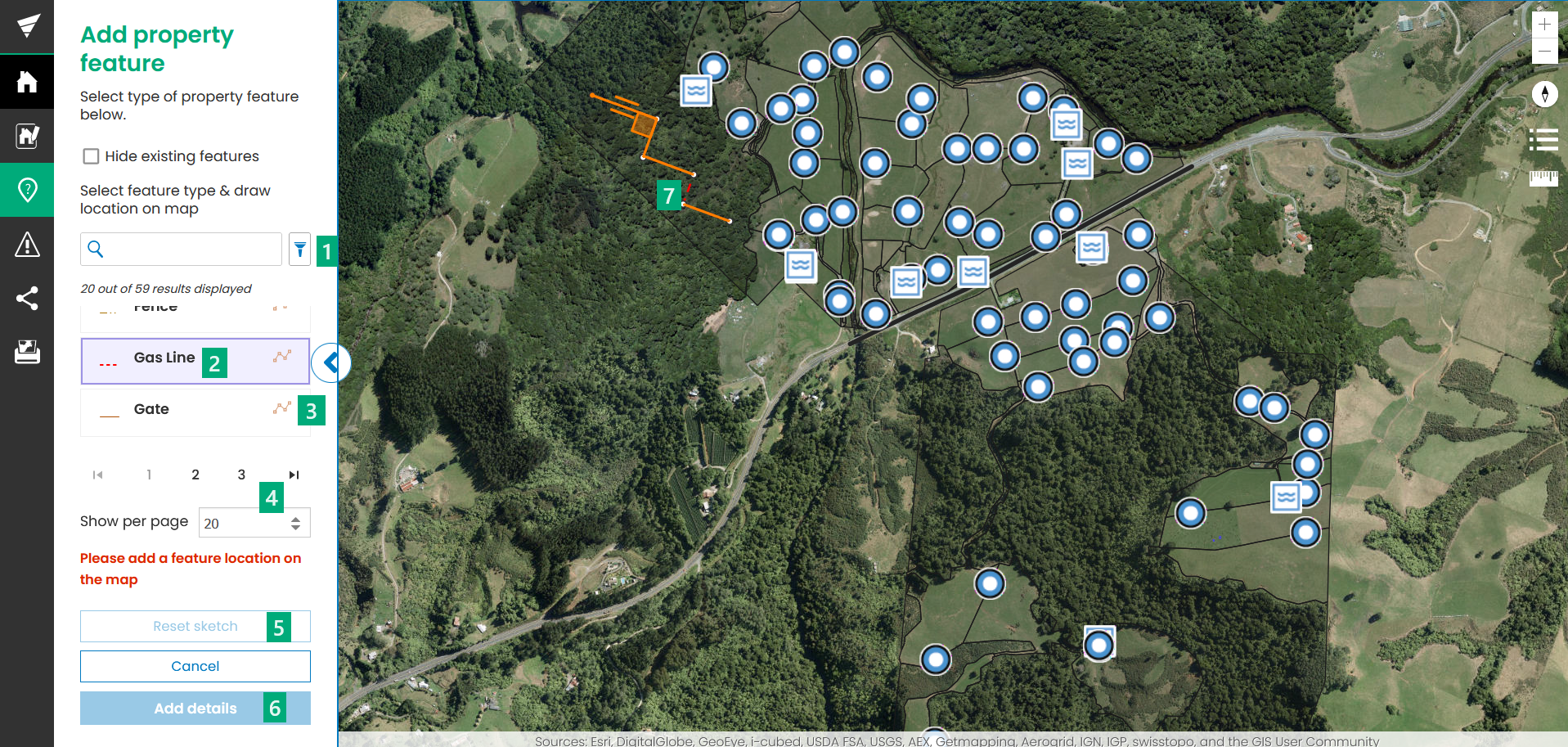
You can filter the list of available feature types by typing in the search box or by clicking the filter button
Add a Point feature
-
Click the feature type in the menu to highlight it
-
Click on the map to add the feature at that location
-
Use Reset sketch if you need to change the location
-
Select Add details
-
Enter the feature details
-
Click Save feature or Back to cancel
Add a Line feature
-
Click the feature type in the menu to highlight it
-
Draw the line on the map by clicking on the start location and then double clicking to end the line
-
Use Reset sketch if you need to redraw the line
-
Select Add details
-
Enter the feature details
-
Click Save feature or Back to cancel
Add an Area feature
-
Click the feature type in the menu to highlight it
-
Draw the area on the map by clicking on the start location and then around the corners of the shape completing the shape by drawing the last point in the same place as they first point
-
Use Reset sketch if you need to redraw the area
-
Select Add details
-
Enter the feature details
-
Click Save feature or Back to cancel
If you cannot see the Add property feature button, you do not have permissions to add features and should talk to your administrator.
Want to change the available features? Contact us and we can help out!