
If you’re having trouble with Landkind, continue reading for solutions to common problems.
For mobile issues, see Mobile App Troubleshooting and FAQ
Workflow not showing
Can’t see a specific workflow or function? Try logging in using an incognito browser.
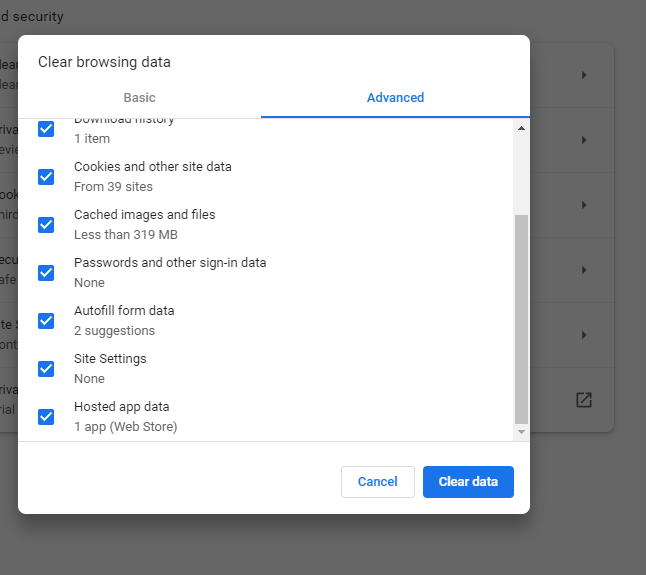
If the problem persists, then try clearing your cache before logging in again:
On Chrome:
-
Click on the three-dot context menu in the top right corner
-
Click on Clear browsing data…
-
Select Advanced
-
Ensure all fields are ticked
-
Click Clear data
Still can’t see what you are looking for? You might not have permissions, contact your admin to find out.
Still having problems…..?
Click the Contact Us button in the bottom right of the screen and log a ticket with our help desk.